New Licensing Web Portal
Overview
The Licensing Portal is a user-friendly interface to activate a product key or to update a license key (as part of the offline methods for license activation and update, as described in Licensing Manager Application), or simply to consult specific license information.

Activate a Product Key

In this page you can manually activate a Product Key. For that you will need the a C2V file called fingerprint and the Product Key that you wish to activate:

Are you sure you have the right C2V Fingerprint?
- The correct way to collect the C2V Fingerprint is to run the Licensing Manager App and follow the steps for the offline license activation:

Update a License

In this page you can manually update a license. For that you will need the C2V file of that license:
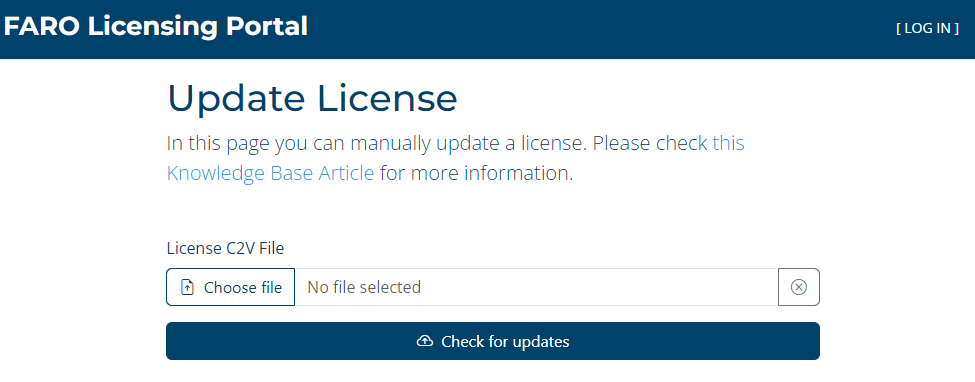
Are you sure you have the right C2V File?
- The correct way to collect the C2V File for a given license is to run the Licensing Manager App, find the license to update on the list, and follow the steps for the offline update of that license:

License Information
This is a functionality of the web portal that allows you to see information about your License. It can display the information about the license itself if you enter the License ID or the C2V file of the license. It can also show you details about a given Product Key if that’s the information you entered.
- On the Portal homepage, click the License Information panel.
- On the next screen provide either your Product Key, License ID or your C2V file (used for the offline activation or license update).
If you are not familiar with these terms please read carefully the Licensing Manager App article. - Click the SEARCH button.
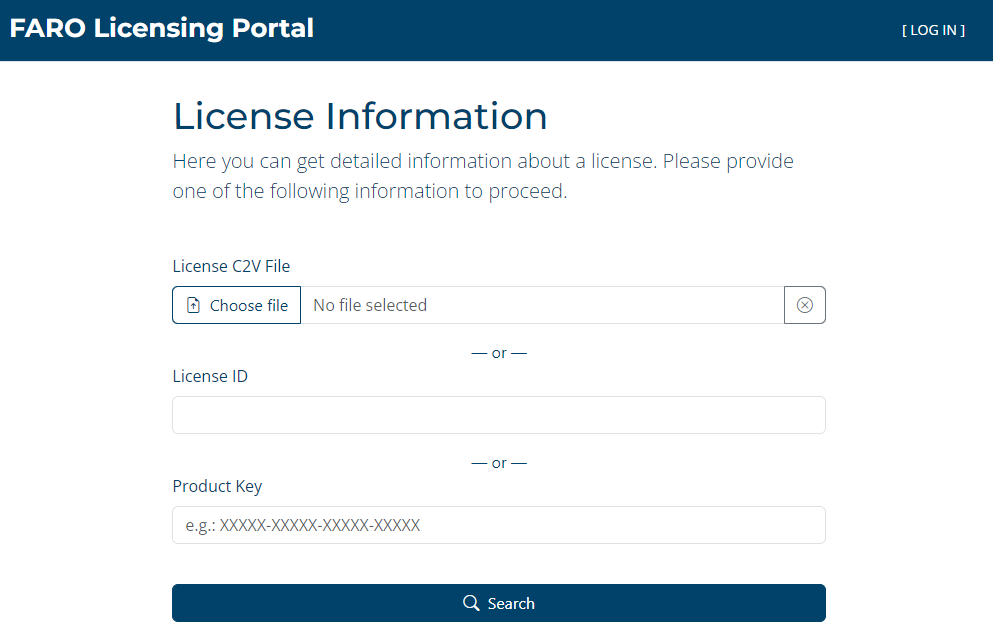
Depending on the information provided you will be redirected to one of these screens:
- License Information - If you entered the C2V file or the License ID

Definitions
① License ID - The unique Sentinel LDK-EMS key ID;
② Warranty - Until this date the customer is entitled to updates of the license product;
③ License Type - Licenses can be of the type “Softlock” (Products Keys) or “Hardlock” (Dongles);
④ Network - If enabled the license is accessible through the network;
⑤ Remote - The license is accessible by remote desktop connection;
⑥ Virtual - The license can be used on a virtual machine environment;
⑦ Detachable - If enabled, the license can be detached from the host computer to the client computer;
⑧ Network Seats - The number of seats available on a network license;
⑨ Features - The identifiable functionalities of the product contained on the license;
⑩ Activations section - Shows the date of the Product Key activation and the Product Key itself.
- Product Key Information - If you searched by the Product Key

Definitions
① Product Key - A string generated by Sentinel LDK-EMS and supplied to the end user for use as proof of purchase;
② Warranty - Until this date the customer is entitled to updates of the license product;
③ Status - Enabled (the product key can be used to activate the license) or Disabled (the product key cannot be used to activate the license);
④ Activations - The total number of activation and the remaining number of activations;
⑤ Network - If enabled the license is accessible through the network;
⑥ Remote - The license is accessible by remote desktop connection;
⑦ Virtual - The license can be used on a virtual machine environment;
⑧ Detachable - If enabled the license can be detached from the host computer to the client computer;
⑨ Network Seats - The number of seats available on a network license;
⑩ Features - The identifiable functionalities of the product contained on the license;
⑪ Activations section - Shows the date of the activation and the correspondent License ID.