What's New with BuildIT Metrology

Overview
The following article highlights the new features included in each major release of BuildIT Metrology. For all change information in the latest version, please refer to the Release Notes.
BuildIT Metrology 2022
We are proud to introduce BuildIT Metrology 2022, the latest release of our flagship software. Before you try out the new version, here are a few of the new features included in this release.
Measurement Devices
Leica Absolute Tracker AT500
BuildIT 2022.4 integrates the new Leica Absolute Tracker AT500, including the new B-Probe plus.

Analyses and Annotations
Angle Between Features Annotation
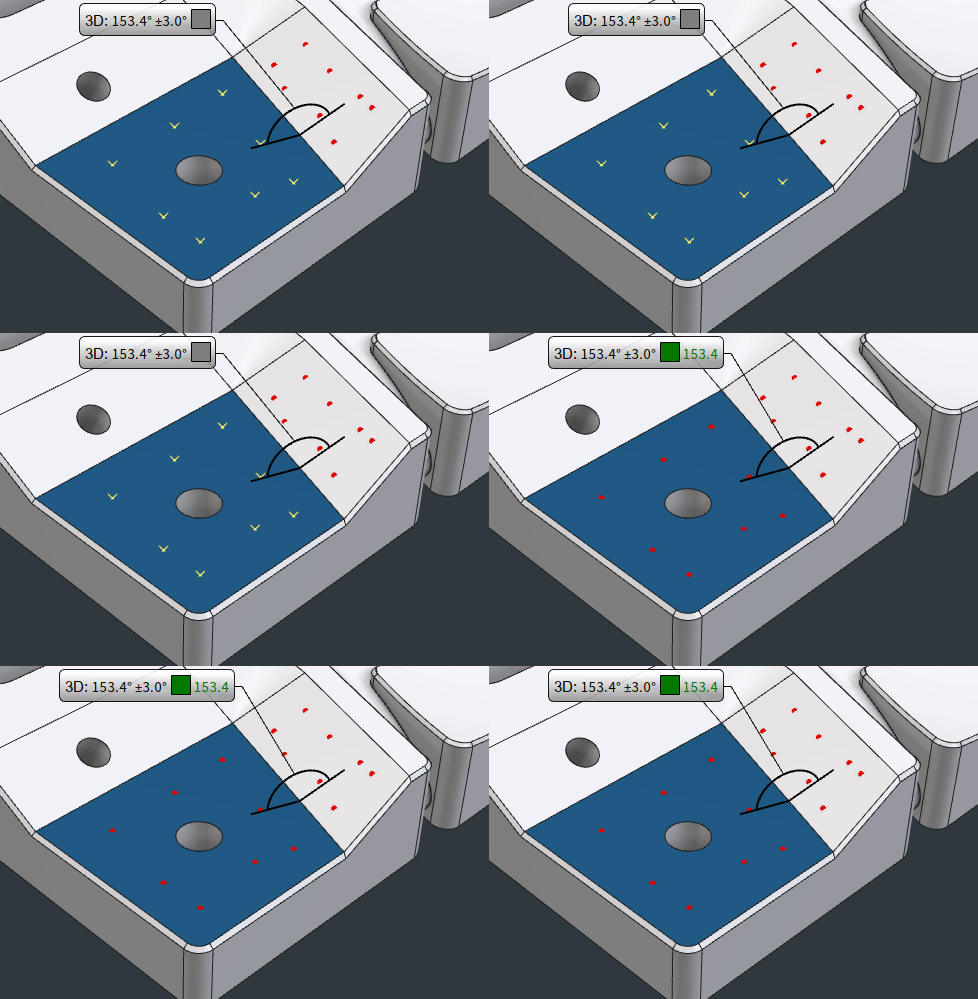
New Angle Between Features Annotations compare the angle between actual features against the nominal angle between those features.
That new type of annotation can be defined on features prior to performing any measurement. As new measurements are added and actual geometries are computed, the annotations will evaluate automatically.
Those dynamic annotations are supported for all features that possess an axis (Plane, Cylinder, Cone, Line, Circle features).
"2D distance" option for Distance Annotation
Distance Annotations can now report 2D distances in addition to 3D and 1D distances.
Those annotations can only be defined on existing objects (nominal or actual geometries).
The label (i.e. "XY", "YZ", "XZ") displayed in the annotation callout can be customized via the "File: Settings: Display: Deviations" menu.
Note that for defining distance tolerances between features and benefit from a dynamic evaluation, the GD&T Distance Tolerance can be used instead.

Fractional representation for deviations
Surface Inspection Annotations and Analysis Region Annotations (formerly "Needle Annotations") can now display deviations as fractions.
The maximum resolution for those fractions can be defined through the Document Properties (or via "File: Settings: Display: Default Units").

GD&T
Support for Compound Datum DRF
Added support for "Compound Datum" Datum Reference Frame (DRF) for two coaxial features.
This DRF can be evaluated in both "RMS" and "Mating Envelope" modes, and supports cylinders measured as circles as well.
Ability to instantiate multiple features at a time
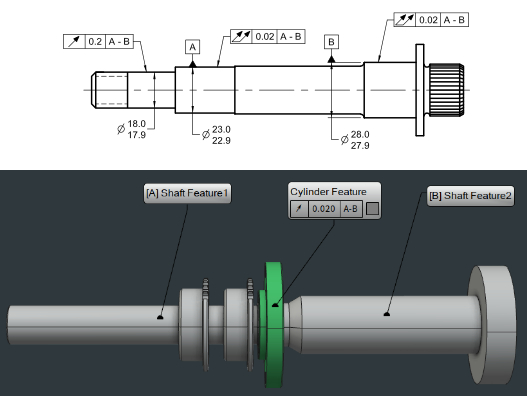
Feature commands now present an option to instantiate multiple GD&T features at once based on CAD's "solid" property.
By ticking option "Create additional features for each part instance" in any "Feature" command, a distinct feature will be created for each geometry or set of geometries instantiated from the same solid.

FARO Focus Interface
Improved FARO Focus Scanning Workflow
Data acquisition time is reduced by 10% when scanning directly into BuildIT using the "Automate: FARO Focus: Scan using FARO Focus" command, by streaming the point cloud silently while cloud capture is still in progress.
The command now allows capturing multiple scans in a row using the same laser scanner. Only when the scene has been fully captured, the command offers to import and register all the scans. This provides the benefit of leveraging the integrated FARO SCENE’s registration capabilities, which include "top view", "cloud-to-cloud" and "target-based" automatic registration.

View Manipulation
New Widget and Ability to use Views as Command Inputs
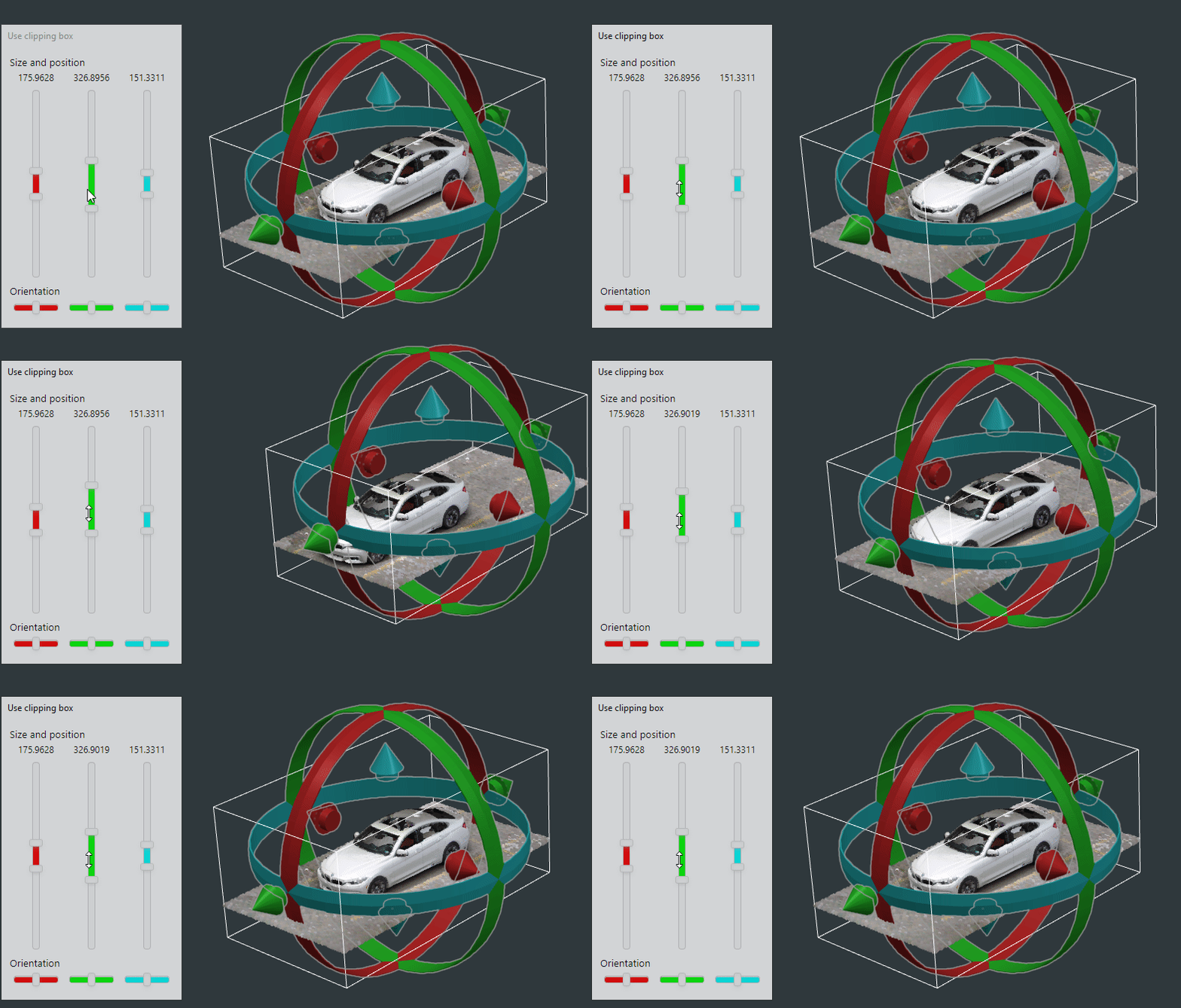
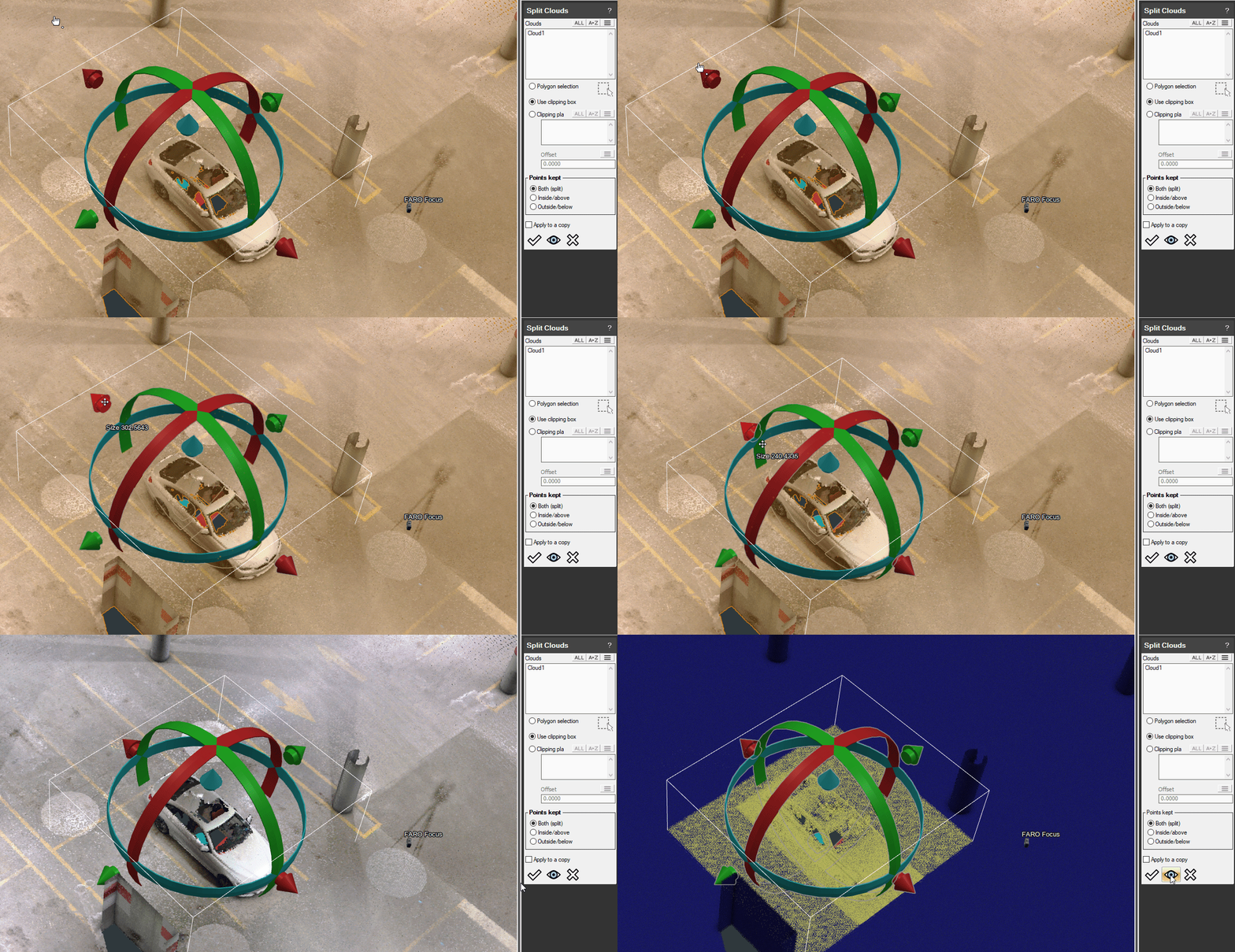
A new control widget has been added for moving and resizing the clipping box in the "Set View" and "Split Clouds" commands. This tool allows rotating, translating and resizing the view conveniently without having to grab the box arrows in the 3D view.
Saved views that possess a clipping box can now be used as an input to the "Split clouds" command, allowing to split point clouds based on those clipping boxes.
The initial placement of the clipping boxes has been improved as well.
Automation
Improvements to the Python API
Many improvements have been made to the Python API:
- Updated the Python interpreter to Python 3.9
- Added an option for outputting Python debug messages in messagebar under "File: Settings"
- Created "Variable" and "PersistentVariable" classes in buildit.api.process module to help generating dynamic input panels and retrieving types variables conveniently
- Added type hints for arguments and return values throughout the Python API
- Python API source is now shipped with the API documentation. It is available under the "Overview" section
Other improvements made to the automation capabilities include:
- Added support for launching some interactive commands via the RPC server
- Selections performed using the "ALL" button and a filter in the command UI are now recorded as "FIND()" expressions in process
- Process Editor is now non-modal. Users can now interact with the 3D model while the process editor is still open


BuildIT Metrology 2021
We are proud to introduce BuildIT Metrology 2021, the latest release of our flagship software. Before you try out the new version, here are a few of the new features included in this release.
User Experience
Inspection Annotations
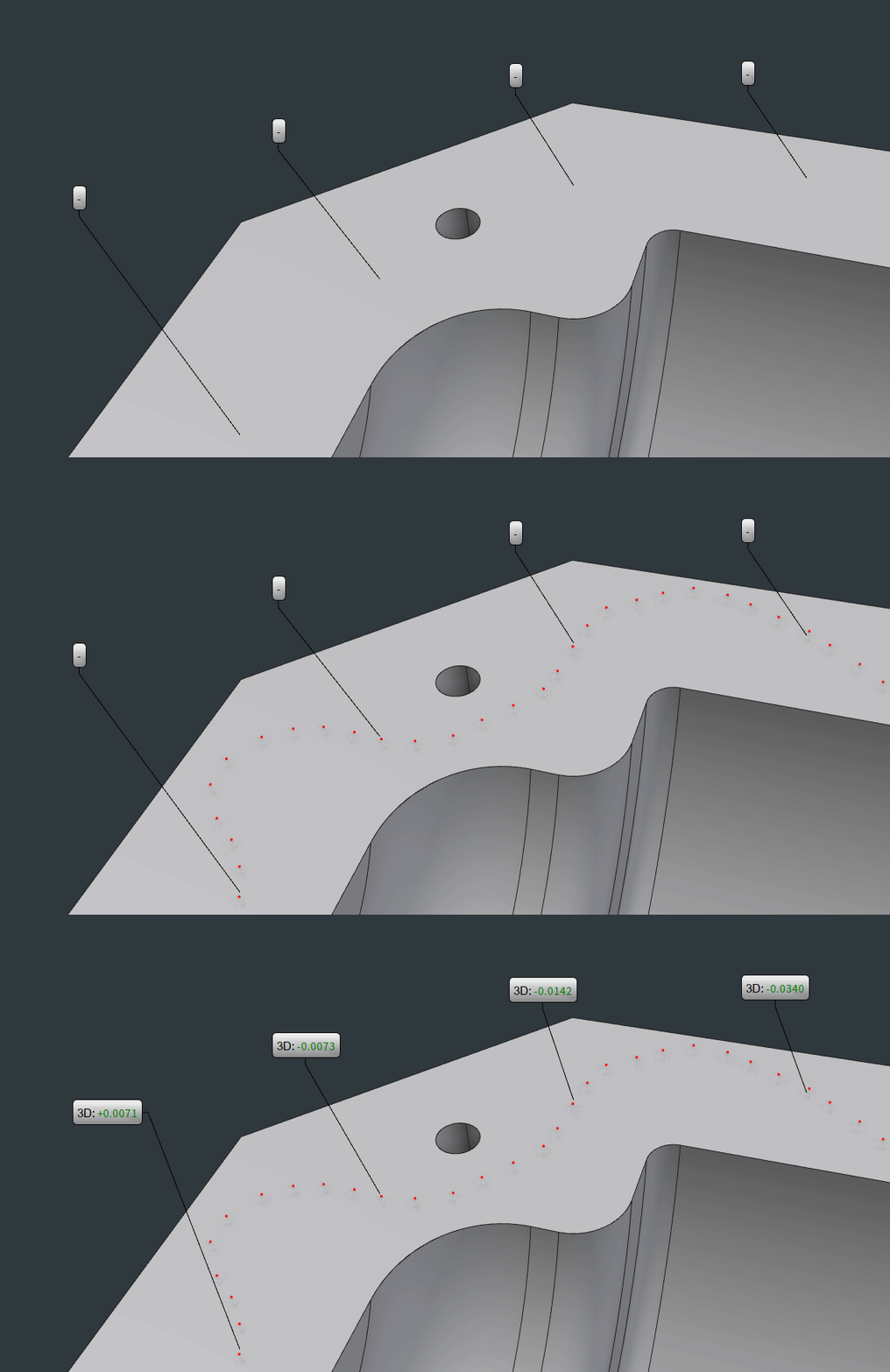
Annotations can now be defined prior to performing any measurement. They will be computed and populated dynamically as new measurements are added. Those dynamic annotations are supported for points, lines and curves, and surfaces.
Surface annotations can now be evaluated without requiring an explicit association between a geometry and measurements. The annotation will be computed using points found in its neighborhood.
Computation speed of annotations has also been improved. This allows updating a much higher number of annotations seamlessly as devices are relocated and realigned.
Document Properties
Decimals and units are now model-specific. Working simultaneously with files that require different formats is easier and more convenient.

Object Manager
Deviation analyses can be performed in a single click via any feature’s right-click menu.
Tolerances can be evaluated directly from the “Features” group.
Show/Hide shortcut has been added to the right-click menus of objects.

Excel Report
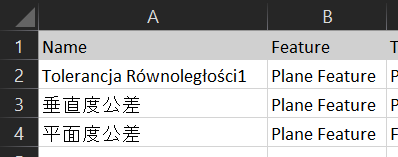
Excel reports can now contain saved views as well as any extended characters.
Report generation speed has also been improved.
Probing
 FARO Laser Tracker Improvements
Wi-Fi connections in general can sometimes be unstable, especially in factories and other high-interference environments.
BuildIT integrates the latest FARO Laser Tracker SDK to provide a more seamless experience by handling disconnections and reconnections automatically.
This SDK also allows shortening the startup time by skipping the warm-up period.
Optimal accuracy is maintained by performing regular accuracy checks until thermal stability is attained.
GD&T
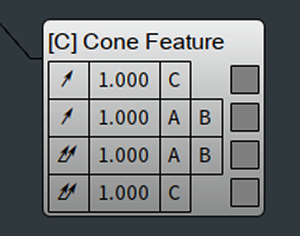
Runout and total runout GD&T tolerances are now supported with any DRF that frees the degrees of freedom required for a proper evaluation of those tolerances.
Spiral Search
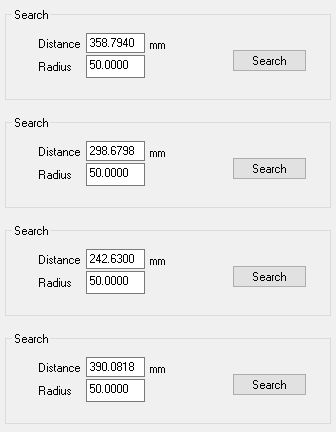
The search area for doing a spiral search with a FARO Laser Tracker can now be defined using the radius only. The distance parameter is computed and updated dynamically.
Scanning
Faster Alignments and Analyses
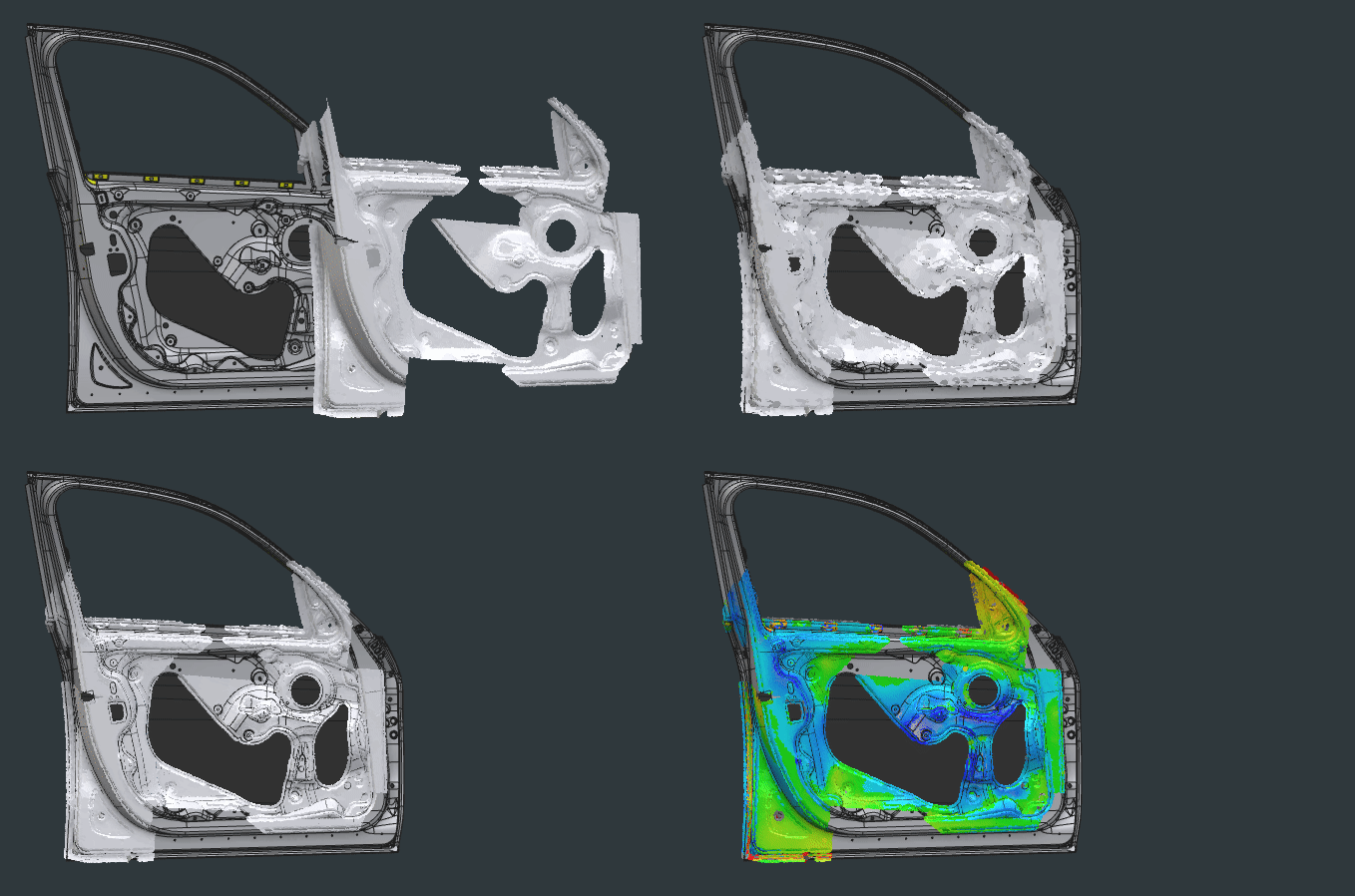
Introduction of a new "Fast" setting for alignments and analyses.
By trading a few microns in accuracy, the alignments and analyses can get a boost in speed.
Depending on the size of the point cloud and complexity of the model, the alignments and analyses can be between 10 to a 100 times faster!
Clipping Box in Split Clouds
A new convenient method for splitting clouds has been introduced in the "Split Clouds" command.
The clipping box can be moved and resized by conveniently grabbing the arrows and rings.
Automation
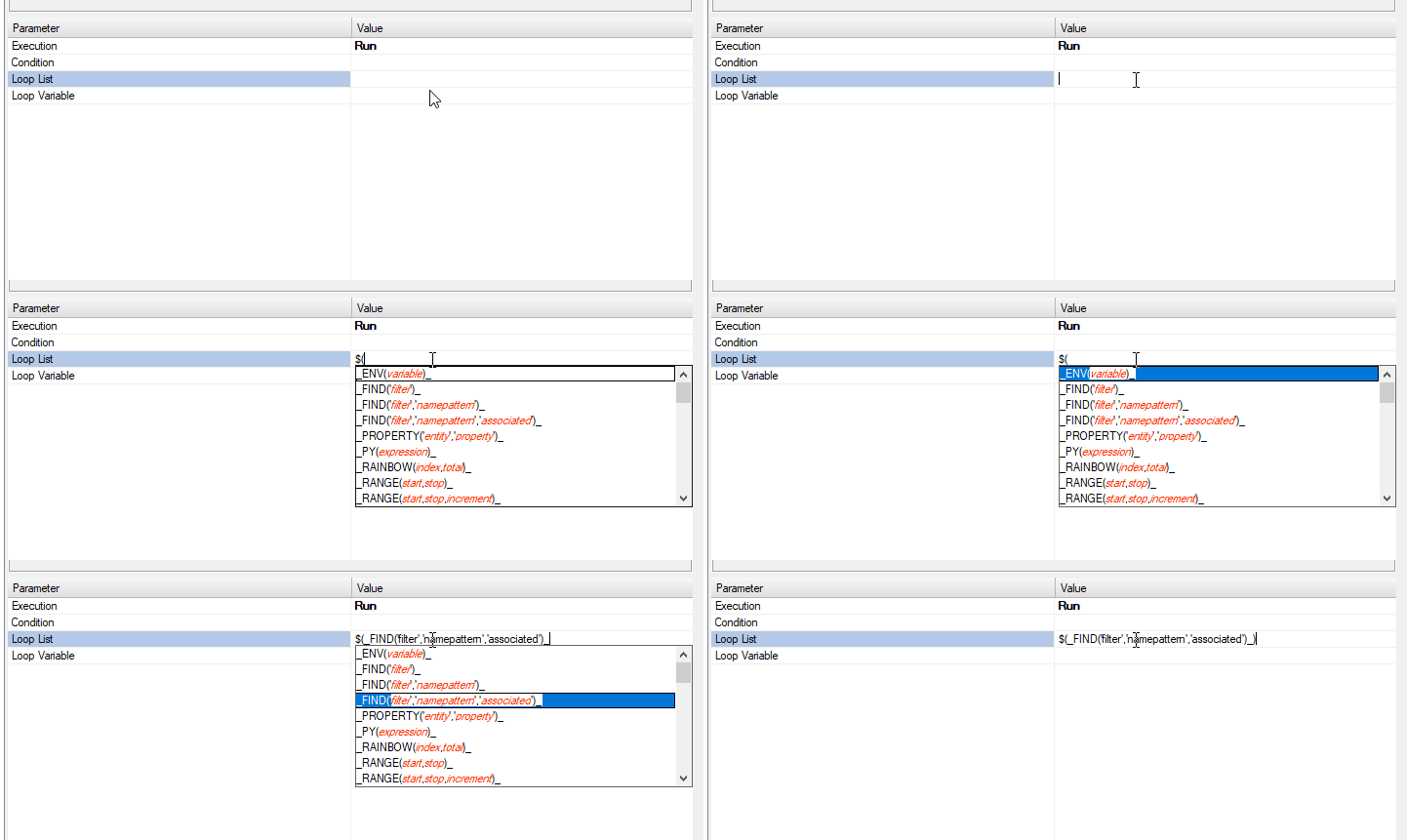
Auto-Complete, Syntax Highlighting and Documentation
Auto-complete and syntax highlighting are now available in the process editor to streamline writing automated processes. Tooltips can also be displayed for providing documentation on-the-fly.
Running any BuildIT Command from Python
The Python interface has been expanded to allow running all BuildIT commands directly from the Python interpreter.
It is now possible to write complete automated processes in Python only.


Python Syntax Helper
The Python Syntax Helper tool provides the right syntax as well as parameter names and types for each command. A search field allows finding commands conveniently.
The Syntax Helper can also convert existing BuildIT processes into their Python equivalent.
More information on the tool can be found under “Help: Python Interface”, in the “Overview” section.

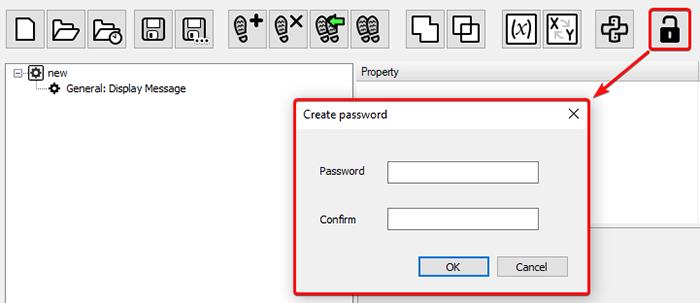
Password Lock for Processes
Processes can be password-protected for preventing them being edited in the process editor.
Websocket RPC Server
BuildIT now provides a Websocket-based RPC (remote procedure call) server.
This server allows interfacing with BuildIT remotely via WebSocket. Available actions include:
- Launching commands and processes
- Exchanging data
- Fetching real-time model information
- Triggering measurements
- Etc.
A Python and a JavaScript API are available for developing client applications. More information can be found at: Setting Up and Using the RPC Server with BuildIT Metrology