
LED and Power Codes for the ScanPlan
Overview
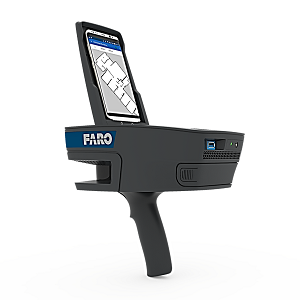
The FARO® ScanPlanTM power button and LED light will communicate hardware status and error information during operation.
ScanPlan Power Button Modes
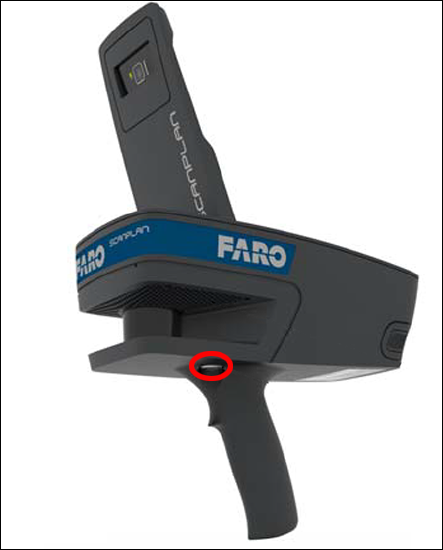
| Light Pattern | Meaning |
|---|---|
| Blink-Blink-Pause | Device booting |
| Illuminated | Device is on |
| Blink-Pause | Device is shutting down |
ScanPlan LED Modes
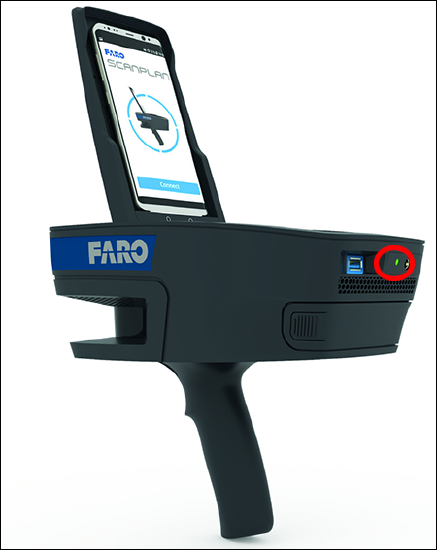
| Light Mode | Meaning |
|---|---|
| Blinking Green | Battery charging |
| Green | Battery charged or firmware update |
| Blue | Device is on |
| White | Device is mapping |
| Red | Device error |
| Orange | Very low battery |
| Blue-Red-Blue | Device failed to boot. |