Software Download and Readme Files for CAM2
Introducing FARO® InTouch
Note: FARO InTouch is only compatible with Microsoft® Windows® 10/11
Beginning with version 2020.4, CAM2® and CAM2 RPM software will now by distributed via FARO InTouch. FARO InTouch is a software distribution and management application which streamlines the downloading, installation, updating and execution of FARO software, such as CAM2 and RPM. To download only the InTouch Management software, see: Download and Install FARO InTouch
Users can now benefit from always having the latest version installed, without the hassle of manually downloading and installing versions every time a new version is released when the auto-update option is enabled. InTouch also contains all CAM2/RPM software within a single location, to reduce icon clutter on the desktop, and allows the software to be launched directly from the InTouch UI.
When installing InTouch for the first time, it is recommended to uninstall any previous versions of CAM2, RPM, Device Center and CAD Translator via the Windows® Control Panel before installation.
Download
- See the What's New document to view the changes made in the latest major release for this product.
- Check that your Microsoft Windows operating system is compatible and that your computer meets the recommended requirements.
- Complete the form below to download the latest FARO® CAM2® or CAM2 RPM software. If you are looking for an earlier version, click here.
Note: RPM is available under the “Full” and “Probing” licenses for CAM2 2019 and later versions. For CAM2 2018, RPM is only available under the “Full” license.
|
CAM2 2026.1 RPM 2026.1
|
Installing InTouch/CAM2
Follow the steps below to install FARO InTouch, or watch the video. Cannot access YouTube? Click here to download this video.
- Run the downloaded InTouch installer.

- Follow the onscreen prompts to install.
- The installation process will begin. The time taken will depend upon network speed and prerequisites that require installing.
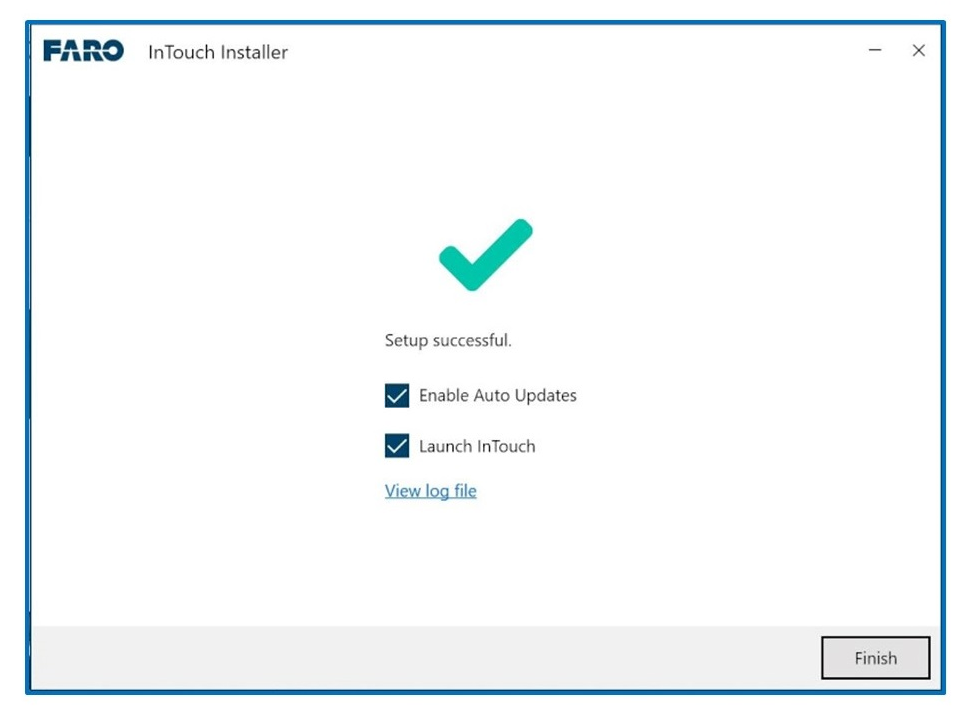
- Once complete, in order to ensure the optimal function of the software it's important to enable:
- Auto Updates. With Auto Updates enabled, InTouch will manage the update process, and provide notifications when an application has been updated without any intervention from the user.
- Launch InTouch
- Click Finish.
- InTouch will display both installed and available applications. To install RPM or any other application simply click Install. It is possible to install Control Center, Control Server and Control Station at the same time.
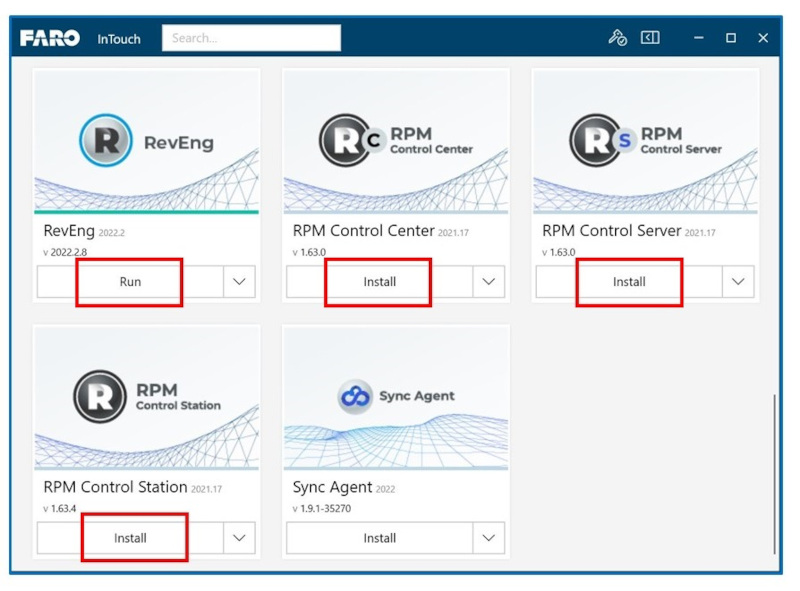
- Applications can be launched from within InTouch by clicking Run from the tile drop-down.
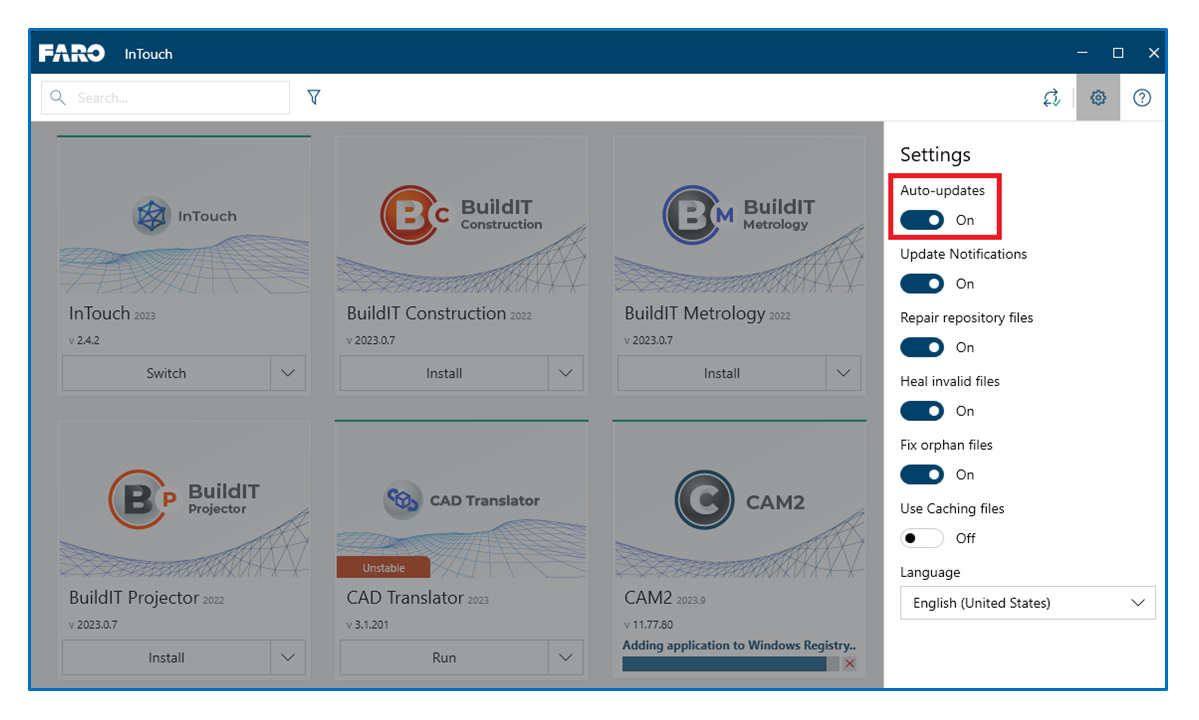
- If at any point after installation you want to deactivate/activate the auto updates you can do so by clicking on settings and then Auto-Updates.
Enable the Customer Experience Improvement Program
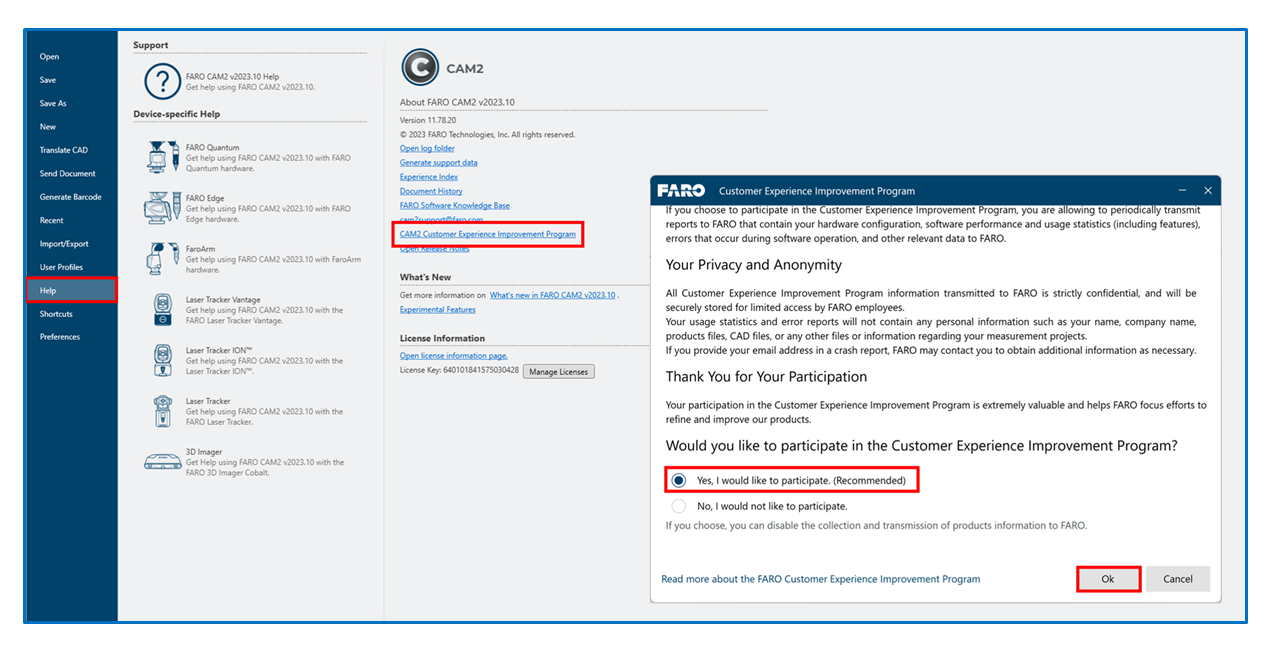
To enable FARO to refine and further improve CAM2, we recommend that users take part in the Customer Experience Improvement Program, and by doing so will allow the automatic sharing of usage statistics such as hardware configuration, application stability and performance, in addition to CAM2 functionality being utilized.
Any data shared with FARO is strictly confidential and does not include any personal or business information that could identify you or your company, nor does it include any measurement data.
To enable the program, please select the "Yes, I would like to participate. (Recommended)" checkbox in the Customer Experience Improvement Program notification.
You can find the whole procedure on the Customer Experience Improvement Program for CAM2 article.
See Also
Keywords:
CAM2, measurement software, upgrade, new release, maintenance release