Locate Your FARO Connect License
Overview
In this article, you can find a detailed step-by-step process on how to locate your FARO Connect license.
Procedure
- In the Windows search bar, type “FARO Connect License Manager.”
- For legacy Connect software, search for “GeoSLAM License Manager” instead.
- Open the License Manager application.
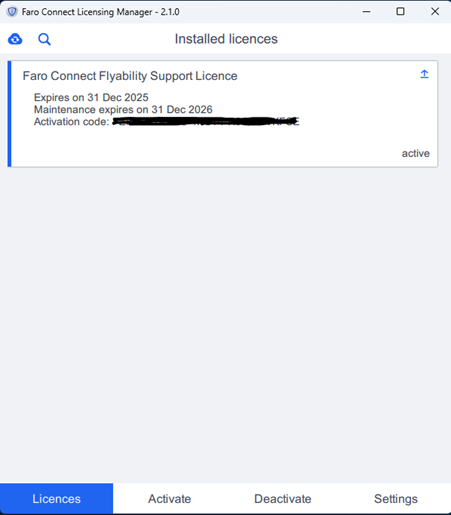
- Navigate to the Licenses tab, where your currently active software licenses will be displayed.
- The tab will show key details such as:
- License Expiry Date
- Maintenance Expiry Date
- Activation Code
- For additional license information (e.g., enabled features), click on the specific license entry.