
FARO Zone 2D - InTouch Conversion and Installation

Overview
Beginning with version 2025.7.0710, FARO® Zone 2D software will now by distributed via FARO® InTouch. FARO InTouch is a software distribution and management application which streamlines the downloading, installation, updating and execution of FARO software. With the auto-update option enabled, users can now benefit from always having the latest version installed, without the hassle of manually downloading and installing every time a new version is released. To reduce icon clutter on the desktop, InTouch allows individual FARO software applications to be launched directly from the InTouch UI.
For users updating from a previous version, the information provided below will cover the conversion/update process.
FARO Zone 2D - InTouch Update and Installation
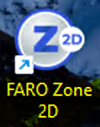
- On the typical user desktop, double click the FARO Zone 2D icon to launch the application. Note the “FARO Zone 2D” icon appearance, this will change after the update is complete.
- An ‘update available’ notification will be displayed on the Start screen, Title Bar, and information text.

- Clicking any one of these icons will open the update menu, click Update.

- Click the Download and Install button.

- The "Welcome to to the FARO Zone InTouch update experience" window will be displayed. This displays the the steps for a user to convert to the InTouch installation process. It will also automatically detect any legacy installations and offer to remove them from the computer.

- You can click the “Automatically uninstall older version of FARO Zone 2D” link for more information, the following information box will be displayed.

- You can click the “Automatically uninstall older version of FARO Zone 2D” link for more information, the following information box will be displayed.
- Clicking “Let’s Go!” will open the InTouch application and bring the InTouch application to the front.

- You can then scroll or search to locate the FARO Zone 2D tile. Click Install.

- If the “Automatically uninstall older version of FARO Zone 2D” option was checked. Users may also get UAC dialog to elevate permissions to all the uninstalling of previous versions.

- If the “Automatically uninstall older version of FARO Zone 2D” option was checked. Users may also get UAC dialog to elevate permissions to all the uninstalling of previous versions.
- After installation has completed, the new FARO Zone 2D icon will be displayed indicating that the software has been converted/updated to the “InTouch” FARO Zone 2D version.
