
Connection Issue with Leap ST
Symptom
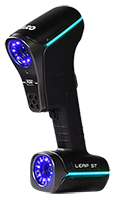
The Leap ST has a solid green light but fails to connect and is not detected by Leap Capture. Often this can be caused by a corrupted configuration folder.

Solution
Before proceeding, verify the following:
- All cables are properly connected and not damaged
- Update the Leap driver via FARO InTouch to the latest version
- Open the Windows Task Manager and stop the FARO Leap Service. Windows "admin" privileges are required to stop the service. If you do not have admin privileges rebooting the computer can stop the service.
- Rename the folder C:\Users\Public\Documents\FARO Technologies\Leap\LeapCapture to:
C:\Users\Public\Documents\FARO Technologies\Leap\LeapCapture.old - Reboot the computer.
- Ensure the LEAP ST is still connected, open the FARO Leap Desktop app to configure the device. If the Leap ST still fails to connect, contact FARO Support.